
NordPass
A reliable password manager for your digital security
With NordPass, you no longer have to reset or remember your account login details.
NordPass Review
If you are looking for a powerful, convenient, and secure password management tool, NordPass is the perfect choice. Developed by Nord Security (the creators of the popular NordVPN), NordPass combines advanced encryption technology, an intuitive interface, and an affordable price.
Why NordPass?
NordPass is a modern password manager launched in 2019 that helps you securely store, generate, and autofill passwords, credit cards, notes, and documents.
It is suitable for both private users and businesses: from individual plans for families to corporate solutions with access control.
NordPass uses a zero-knowledge architecture, where your data is encrypted on your device and is not accessible even to developers.
Advantages
- Security first: XChaCha20 encryption (faster and more secure than standard AES-256 on some devices).
- Convenience: Synchronization across all devices, form autofill, and mobile app.
- Additional tools: Data breach scanner, email masking, and built-in 2FA authenticator.
- Trust: Used by over 10,000 businesses (e.g., Hostinger, Bored Panda). 4.8/5 rating in 2025 reviews.
NordPass is not just a password manager, but a comprehensive tool for protecting against cyber threats such as phishing and data leaks.
| Function | Description | Availability |
| Password storage | Unlimited storage for logins, notes, credit cards, and documents. | All plans |
| Password generation | Automatically generate strong, unique passwords with strength checks. | All plans |
| Autofill | Quickly fill out forms on websites and apps (including passkeys). | All plans |
| Data leak scanner | Monitoring the dark web for leaks of your data and credit cards. | Premium+ |
| Email masking | Generation of temporary email addresses for registrations without revealing the real one. | Premium+ |
| Secure sharing | Share with family or colleagues with access control. | Premium+ |
| Built-in 2FA | Authenticator for two-factor authentication right in the app. | Premium+ |
| Emergency Access | Providing access to authorized persons in case of unforeseen situations. | Family+ |
| Password Health | Analysis of weak, repeated, or old passwords with recommendations. | Premium+ |
| Log activity | Action tracking for business (access audit). | Business |
NordPass Security
Security is at the heart of NordPass. That’s why it’s considered one of the most reliable password managers in 2025:
- Encryption: End-to-end with XChaCha20 (256-bit key) — faster on mobile devices, more secure than AES-256 in certain scenarios.
- Zero-Knowledge: Only you have access to the master password; the company cannot decrypt your data.
- Audits and certifications: Regular Cure53, SOC 2, ISO 27001, HIPAA, FIDO2 audits. Bug bounty program for ethical hackers.
- Additional protection: Biometrics (Face ID/Touch ID), MFA (YubiKey, authenticators), offline access.
- History: No data leaks (unlike some competitors). Hosted on AWS for high availability.
NordPass protects against Evil Twin attacks, phishing, and brute-force attacks.
Employee management
 |
 |
 |
 |
|
Business Admin Panel |
Account Recovery | Data Transfer |
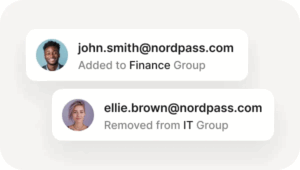
Group Management |
| Manage employee access, configure security policies, monitor account activity, generate activity reports, and control overall account security in your company—all in one place. | Restore your employees’ accounts in case of an emergency. Prevent permanent data loss and securely reset login credentials and recovery codes if any employees lose access. | Ensure a smooth transition of access within your company. Quickly and easily reassign credentials from departing employees to active members of the organization. | Create and manage user groups to simplify collaboration between different departments. Streamline your workflow by allowing your team to share confidential information faster and more easily. |
Security – Ensure that all confidential corporate information is protected from unauthorized persons. Store passwords, access keys, credit card details, and other company data in a vault encrypted with XChaCha20.
 |
 |
 |
 |
|
Access keys |
Shared access center | Built-in authenticator |
Email masking |
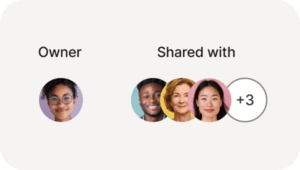
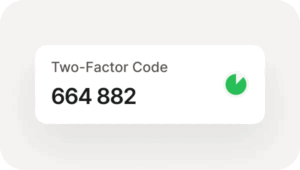
| Meet tomorrow’s security standards with passwordless login. Store, share, and manage your access keys in NordPass Vault and use them for safer and smoother logins across platforms. | View all shared account activity and access details within and outside your organization. See who has access to which accounts, who has shared what, and what level of access has been set. | Forget about the need for third-party two-factor authentication (2FA) tools with NordPass. Improve your company’s security and sharing capabilities with a single password and TOTP vault. | Protect your employees’ email addresses from unwanted disclosure. Allow your team to subscribe to newsletters, events, or test platforms using email masks and protect yourself from online threats. |
|
Password policy |
Password generator | Multi-factor authentication | Biometrics |
Automatic locking |
| Centralize password requirements across your organization. Enable Password Policy and set the length and refresh frequency for all passwords used by your employees. | Protect your company’s accounts by ensuring that all passwords are secure and unique. Generate unique passwords that comply with your company’s password policy standards with a single click. | Add an extra layer of security to your NordPass business account. Set up multi-factor authentication (MFA) with authenticator apps, security keys, or backup codes. | Add secure access to data with biometrics. Unlock NordPass with facial recognition and fingerprint or Windows Hello, and ensure reliable protection for stored and shared credentials across your team. | Protect your corporate accounts from external interference. Enable auto-lock and set an inactivity period after which your NordPass organization accounts will be automatically locked. |
Reporting and auditing
 |
 |
 |
 |
|
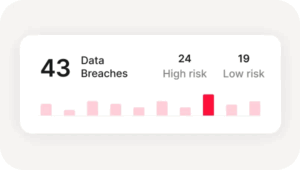
Data leak scanner |
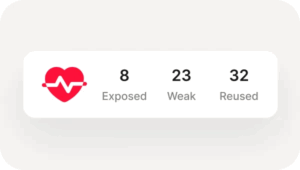
Password status | Activity log |
Activity log API |
| Stay one step ahead of cyber threats targeting your organization. Receive data breach scanner alerts if your company’s domains, email addresses, or credit card details are compromised. | Ensure that all passwords used by your company and stored in participant repositories are secure. Check the system for exposed, weak, old, or reused passwords and notify your team when they need to update their credentials. | Generate transparent reports to gain detailed insight into password usage and sharing activity within your organization. Track all changes to stored data and improve your compliance readiness. | Retrieve activity logs for all account-related behavior in your organization using the activity log API. |
Productivity
- Ensure secure and easy access to credentials in your company.
- Share confidential data by items or through folders.
- Add, change, and revoke access permissions as needed.
- Set time limits for access to the credentials you provide.
|
Shared folders |
Auto-save and auto-fill |
Multi-platform |
| Conveniently share and manage passwords and other confidential data within your team using folders with centralized access rights. | Optimize your team’s login process and password storage without compromising security. Let NordPass automatically save all new passwords and auto-fill saved login details. | Access NordPass in Google Chrome, Mozilla Firefox, Edge, Opera, and Safari. NordPass is supported on Windows, macOS, Linux, Android, and iOS devices. |
|
Synchronization |
History of passwords |
Importing passwords |
| Keep all your sensitive corporate information up to date on computers and mobile devices. NordPass offers fast synchronization, ensuring that you always have access to your company accounts. | Review the complete history of edits to credentials stored in the vault. Restore previous versions of passwords and see what changes other members of your organization have made. | Switch to NordPass from another password manager effortlessly. Import data from other applications and discover passwords stored in browsers to quickly deploy NordPass across your organization. |
Integrations
|
Single sign-on to Google Workspace |
Single sign-on (SSO) with Entra ID, MS ADFS, and Okta | User and group settings | Integration with Vanta |
Integration with Splunk® |
| Set up single sign-on (SSO) with Google Workspace for easier access to corporate accounts. | Set up single sign-on (SSO) with Entra ID, MS ADFS, and Okta for easier access to corporate accounts. | Give your team access with the access management solutions you already trust. Instantly add and remove members using major third-party identity providers such as Entra ID. | Add seamless API integration with Vanta to synchronize NordPass with your compliance workflows. Create a secure and compliant environment that protects your organization from cyber threats. | Synchronize your organization’s activity log data in real time automatically with NordPass’s integration with Splunk®. |
How NordPass works
Compatibility and platforms
NordPass works everywhere:
- Desktop: Windows, macOS, Linux.
- Mobile: iOS, Android (app with biometrics).
- Browsers: Chrome, Firefox, Edge, Safari, Brave, Opera.
- Synchronization: Automatic on an unlimited number of devices (Premium+).
- Import: Easy from CSV, LastPass, 1Password, Bitwarden, and more.
Pros of NordPass
- High security without leaks.
- Intuitive interface (G2: 4.8/5).
- Affordable price and free plan.
- Unique features: Email Masking, Passkeys.
- Fast support:
- Channels: 24/7 chat, email, knowledge base, FAQ.
- Language: English (Ukrainian support via Nord Security).
- Rating: High (G2: “High-quality support”).
- For businesses: Personalized demos and consultations.
Installation takes minutes — just download from the App Store/Google Play or website.
Comparison of NordPass and LastPass (2025)
| Aspect | NordPass | LastPass |
| Encryption | XChaCha20 (more modern, faster) | AES-256 (standard) |
| Functions | Email Masking, 2FA built-in | More free features, but a more complex UI |
| Compatibility | Wide, easy import | Good, but slower synchronization |
| Рейтинг | 4.8/5 (краща безпека) | 4.5/5 (більше досвіду) |